
 Eugene C. Johnson
 Keeping an older adult healthy and connected starts with the right set of tools. The Essential Toolkit for Senior Wellness Technology is not a single gadget but a mix of devices and services that fit daily routines, medical needs, and personal comfort. This article walks through which components matter most, how to evaluate them, and practical tips for integrating technology into life for better daily living.
Families and care professionals often have similar goals. They want devices that reduce unnecessary trips to the emergency room, make chronic condition management simpler, and help seniors remain independent. That requires a sensible selection process focused on usability, meaningful data, privacy, and long term support. Below are clear, actionable points to help you build a toolkit that works.
The Essential Toolkit for Senior Wellness Technology
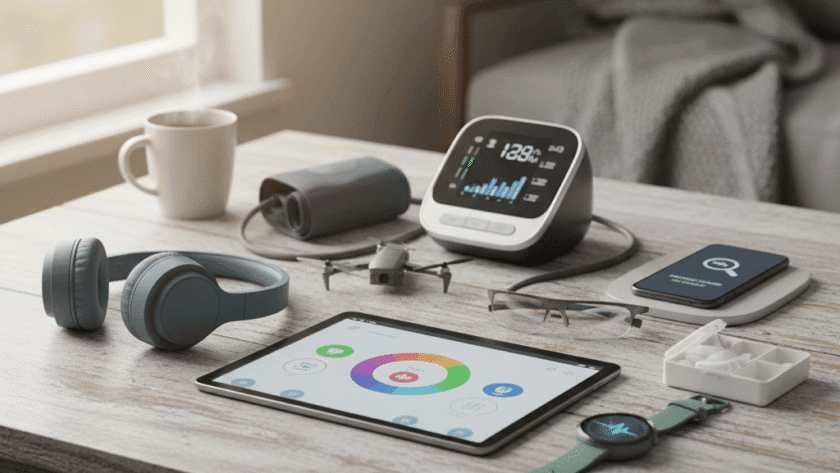
Think of the toolkit as a starter pack plus upgrades that match specific needs. Core items include a wearable health monitor, a medication management system, home monitoring sensors, and reliable communication devices. Each item should be evaluated for ease of set up, ease of use, battery life, and the kind of alerts it sends.
Example setup for a common profile could include a wearable heart rate and fall detection device, a pill dispenser with scheduled alerts, motion sensors that report overnight activity, and a tablet with large text and a simple video calling app. This combination covers acute safety, chronic condition tracking, daily routine visibility, and social connection.
Core device categories for safety and health
Grouping devices by function makes it easier to prioritize purchasing. Focus on devices that meet immediate safety concerns first then add tools for health tracking and home convenience. Below are the key categories to consider.
- Wearables and personal monitors that track heart rate, activity, sleep, and detect falls
- Medication management systems that issue reminders and record adherence
- Home sensors for doors, windows, motion, and water leaks
- Remote communication devices tailored for easy calling and messaging
- Telehealth compatible tools such as blood pressure cuffs and glucometers that send readings to clinicians
For many seniors, a single device will not cover all needs. Look for products that can send clear alerts to a family member, professional caregiver, or health provider and that let you set thresholds that make sense for the individual.
User friendliness and accessibility for older adults
Simple interfaces matter more than feature lists. When devices are easy to operate older adults remain engaged and the technology delivers value. Here are practical criteria to evaluate usability.
- Button size and tactile feedback so controls are easy to press
- Display contrast and font size that accommodates common vision changes
- One touch routines for calling a designated contact or stopping an alarm
- Clear audio with adjustable volume for those with hearing differences
Tip for trialing devices at home test features in realistic settings such as dim lighting, with hearing aids in place, and while wearing the clothing that will be used daily. Observing a few days of real use will reveal issues that a product demo might miss.
Monitoring and data that matters
Not all data is equally useful. Focus on metrics that directly affect health decisions. For example step counts are interesting but changes in mobility or overnight bathroom visits may be more relevant for fall risk. The objective is meaningful signals rather than raw volumes of information.
Which metrics to prioritize
- Changes in daily activity levels and mobility patterns
- Irregular heart rate or repeated high blood pressure readings
- Missed medication events and frequency of dose skips
- Sleep disruptions that correlate with daytime confusion or fatigue
How to manage alerts and data flow
Set alert thresholds that reduce false alarms. Too many trivial alerts lead to alert fatigue and the important ones get ignored. Create a notification plan that specifies who receives real time alerts who receives daily summaries and how urgent events escalate.
- Immediate call and SMS for fall detection or emergency vitals
- Daily digest for routine readings and trend notes
- Weekly reports for clinicians with annotated trends
Connectivity and integration in the home
Connectivity is the backbone that links devices to people who can act on information. Reliable Wi Fi cellular backup and easy pairing are important selection factors. Check the senior household internet speed and router placement before investing in products that depend on continuous streaming.
Local network considerations
- Place a router centrally and avoid interference from large appliances
- Consider a cellular enabled backup device for critical alerts when the internet goes down
- Use credentialed network names and secure passwords that are stored in a caregiver notebook
Interoperability and platform choices
Prefer devices that can export data in common formats or that connect to platforms used by your clinician. Closed systems that silo data create extra work. When shopping look for vendor documentation about integrations and whether the company supports export or third party access.
Privacy and security considerations
Health data is sensitive. Strong privacy settings and secure transmission need to be part of the purchase checklist. Look for companies that use end to end encryption require account authentication and publish clear data retention policies.
- Read the privacy policy and ask specifically about data sharing with partners
- Prefer products with multi factor sign in for caregiver accounts
- Change default passwords and keep firmware updated to close known vulnerabilities
Practical tip Set up a separate account for the senior where possible and add trusted caregivers with limited privileges. That reduces the risk if a single login is compromised.
Costs warranty and upkeep
Upfront price is only part of the total cost. Look at subscription fees cloud storage charges and replacement costs for batteries and sensors. A lower initial price that requires a costly monthly plan can outstrip a slightly more expensive device with no extras.
- Confirm warranty length and what it covers
- Ask about technician support options and whether the vendor offers phone setup assistance
- Budget for replacement batteries and occasional hardware refresh every few years
Example A local community program offered free monthly check ins for seniors who purchased devices from a partner vendor. That reduced technical troubleshooting time and created a clear escalation path when devices failed.
Choosing the right device for your loved one
Selecting the right product requires matching device features to personal priorities. Mobility issues cognitive impairment hearing or vision differences and the level of available caregiving support all change which devices make sense.
If you want a short checklist to start use this quick process
- List the top three goals such as fall detection medication reminders and better communication
- Check for ease of use features that meet the senior user profile
- Verify connectivity and data access for caregivers and clinicians
- Compare total costs including subscriptions and replacement parts
- Read user reviews from buyers in a similar age group or with similar needs
For additional reading and trusted product suggestions see this resource on choosing senior wellness devices which highlights selection criteria and practical examples.
Practical setup tips and caregiver strategies
Good setup reduces confusion and keeps devices functioning. Take time during installation to personalize settings. Label chargers and cables use color coding for pill boxes and write simple one page instructions for daily use.
- Schedule a setup day when the primary caregiver is present to learn the system
- Run through emergency procedures and test contact lists
- Place a logbook near the device station to record incidents and battery replacements
When introducing new tech to a senior start small. Add one device at a time and allow a trial period. Frequent check ins during the first two weeks will show whether a product is truly usable or needs adjustments.
Case studies and real world examples
Real household examples help clarify choices. One couple added a wearable for heart monitoring while retaining a landline for calls. The wearable sent arrhythmia alerts to their daughter and reduced unnecessary clinic visits. Another household used motion sensors and a smart pill dispenser that notified a local caregiver agency about missed doses which led to a timely home visit.
These moments show the practical benefit of matching tools to needs rather than buying every new device in the catalog.
Conclusion
A thoughtful toolkit supports health safety and connection while fitting into daily routines. The Essential Toolkit for Senior Wellness Technology is about matching device capabilities to the person using them. Focus on usability meaningful data privacy protections and predictable costs. Test devices in real life and plan for who receives alerts and how they respond. Start with clear goals for what the technology should achieve then choose components that directly support those goals. If you are managing care for a loved one set up a simple trial for one or two items before expanding the toolkit. Small steps reduce frustration and reveal what provides real value. Take action by making a checklist of needs then evaluate two or three products per category and compare their total cost and caregiver access. Doing this prepares you to make informed choices that improve daily living and help maintain independence. If you need help getting started make a short list today and book time to test the highest priority item with the senior who will use it.


